YZLITE Overview
An overview of how to use the ReRAM YZLite (YZLITE) to develop models for embedded devices
Contents
- Typical machine learning development flow
- Model development and execution
- Acquiring a dataset
- Analyzing and preprocessing a dataset
- Designing a model
- Evaluating a model
- Profiling a model
- Deploying a model
- Next steps
Use the arrows to navigate,
left/right and up/down
Hint: You can also use your keyboard's arrows
Typical Model Development
Model Design - PC/Cloud
Model Execution - Embedded Device
Acquire, Analyze & Preprocess Dataset
Design & Train
Model
Evaluate & Profile
Model
Quantize & Compile
Model
Model Binary
Preprocess Data
Model
Interpreter
Post-process
Interpreter Results
Firmware Application
Handles Results
Raw Sensor Data
-
Machine learning model design and development is typically done on a desktop
computer or in the Cloud
- The YZLITE is used in this phase
-
Once the machine learning model is trained and quantized, the model binary file
is loaded on the embedded device for execution
- The ReRAM Engine is used in this phase
- The YZLITE may also be used in this phase
- The YZLITE offers tools to aid all aspects of model design and development
Model Development & Execution
Dataset Acquisition
-
The first and most important step of model development is acquiring a representative dataset
-
To create a robust model, the data used to train the model must be similar to the data the embedded device will see in the field
-
The dataset is typically application-specific
-
The YZLITE comes with reference datasets
Common Dataset Issues
For many machine learning applications, acquiring a representative dataset may be challenging.
Many times the dataset will suffer from one or more of the following:
- The dataset does not exist - Need to manually collect samples
- The raw samples exist but are not “labeled” - Need to manually group the samples
- The dataset is “dirty” - Bad/corrupt samples, mislabeled samples
- The dataset is not representative - Duplicate/similar samples, not diverse enough to cover the possible range seen in the real-world
A clean, representative dataset is one of the best ways to train a robust model. It is highly recommended to invest the time/energy to create a good dataset!
Dataset Analysis and Preprocessing
- Once a dataset is acquired, it typically needs to be analyzed and preprocessed
- Preprocessing can be thought of as a way of amplifying the signals in the dataset so that the machine learning model can more easily learn its patterns and make accurate predictions
- Whatever preprocessing is done to the dataset during model training must also be done on the embedded device at run-time
-
The YZLITE features:
- Embedded model parameters so the preprocessing settings used during training may also be used on the embedded device at runtime
- Support for custom C++ Python wrappers - these allow for sharing code between Python during model training and the embedded device at runtime
- Audio Utilities to preprocess and visualize audio data
Audio Utilities
- The YZLITE features several tools to aid the development of audio-based ML models (e.g. Keyword Spotting)
-
AudioFeatureGenerator - a library to convert streaming audio into spectrograms for classification by a Convolutional Neural Network (CNN)
-
view_audio - command to visualize real-time audio samples as a spectrogram
-
classify_audio - command to classify real-time microphone audio
Audio Feature Generator
-
A common audio preprocessing technique is converting audio signals to
spectrograms
- A spectrogram is a 2D, greyscale image of an audio sample
-
The YZLITE features the
AudioFeatureGeneator Python component which converts a raw audio sample into a spectrogram. It
features:
- A C++ Python wrapper that enables the model training scripts to use the exact same source code as the embedded device at runtime
- A ReRAM Engine component so the firmware application can easily convert the microphone audio into spectrograms
- Embedded model parameters so the settings used to generate the spectrograms during training are also used by the embedded device
View Audio Command
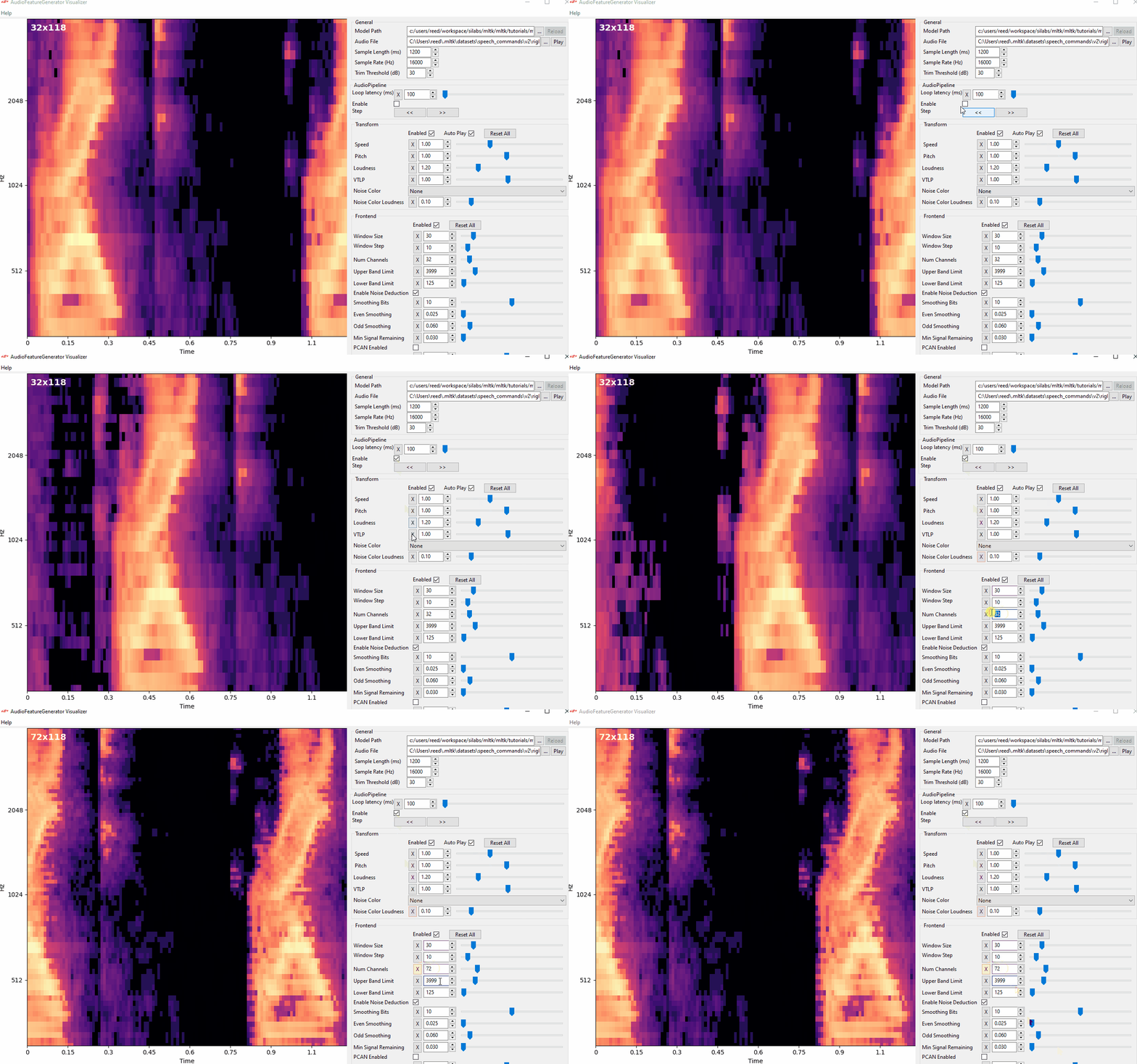
- The YZLITE features a utility to view the spectrograms generated by AudioFeatureGenerator in real-time
- This allows for adjusting the AudioFeatureGenerator settings and immediately seeing how the spectrogram changes
> yzlite view_audio
Classify Audio Command
- The YZLITE features a utility to use a trained keyword spotting model to classify real-time microphone audio
- The audio_classifier application can run on Windows/Linux or on an embedded target
> yzlite classify_audio
Model Design
- The standard Tensorflow/Keras API is used to design the machine learning model
- The model can be designed from scratch or existing model architectures may be used
- The MTLK comes with reference models
- The entire model and all configuration parameters are defined in a single Python script called the Model Specification
- With the model specification the:
Model Design Flow
Create
Model Specification
Profile Model
Train Model
Evaluate Model
Copy .tflite model file
into ReRAM Engine Project
Profile the model before training to ensure it fits within the hardware constraints
Evaluate trained model to see how well it can make predictions on unseen data samples
The output of model training is an archive file containing the trained model files
The model specification is a single Python script containing everything needed to design, train and evaluate the model
The .tflite model file is loaded into the Tensorflow-Lite Micro Interpreter which executes on the embedded device
Model File Types
Model Specification
.py
Keras Model File
.h5
TF-Lite Model File
.tflite
Model Archive
.yzlite.zip
The configuration defined in the model specification file is given to Tensorflow to train the model
The output of Tensorflow, the trained model, is a Keras .h5 model file
The Keras .h5 file is given to the Tensorflow-Lite Converter to generate a quantized, .tflite model file
The quantized, .tflite model file is programmed into the embedded device
The output of YZLITE train command also generates a model archive file which contains all of the model files and training logs
TF-Lite Model File
.tflite
The YZLITE adds additional parameters to the .tflite model file which the ReRAM Engine parses during project generation
Model Evaluation
- Once a model is trained, it is important to evaluate it to determine how well it works against new, never-before-seen data
-
Model evaluation indicates how accurate a model's predictions may be on an embedded
device in the field
- NOTE: Model evaluation is directly dependent on how representative the given dataset is
- The YZLITE features the evaluate command
Model Profiling
-
Model profiling provides information about the hardware resources consumed by the
model at runtime. This information includes:
- Flash memory required by model file (.tflite)
- Runtime RAM required by the loaded model
- Latency per inference, i.e. the amount of time the model takes to execute one time
- Energy per inference, i.e. the additional energy, not including the base-line or idle energy, the model takes to execute one time
- CPU cycles per inference
- These values can be either estimated in a simulator or directly measured by running the model on a physical device
- The YZLITE features the profile command
- The YZLITE also features a stand-alone executable, no installation required
Model Deploying
- Once the trained model has acceptable accuracy and fits within the hardware constraints, it's time to deploy to an embedded device
- Deploying the trained model is done by copying the .tflite model file in the generated model archive to your ReRAM Engine project
- When the ReRAM Engine project is built, the .tflite model file is parsed by the ReRAM SDK, and the corresponding header files are generated and built into the firmware application
- NOTE: The YZLITE also supports directly building C++ applications
Additional Reading
- Modeling Guides - Detailed guides describing how to develop machine learning models using the YZLITE
- Tutorials - Step-by-step tutorials showing how to use the YZLITE
- API Examples - Example demonstrating how to use the YZLITE Python API
- C++ Development - Documentation describing how to build C++ applications for Windows/Linux or embedded targets